
PDF Printout for an External System
Directo's capability for requesting a printout PDF from an external system such as a WMS, webshop, etc. The external system requests a specific printout that has been designed in Directo and receives it in PDF format.
 NB! Requesting a printout requires a Directo concurrent user license!
Configuration
To provide an external system with the ability to request a printout:
- Create a user with a password and user rights to query the given document and printout, and the user must not be prompted for a
locationat login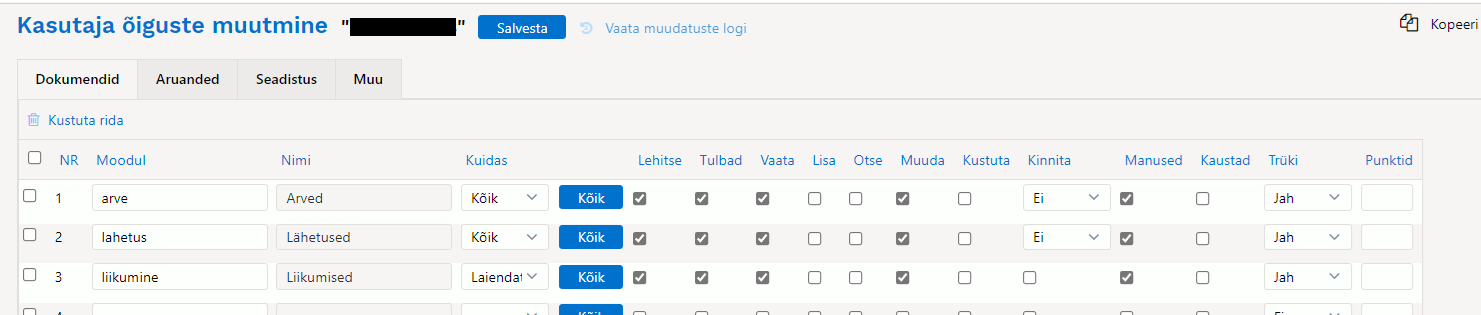
- The address for accessing the printout. Open the specific printout
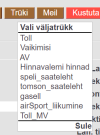
- The URL of the opened printout window contains the necessary data:

- Base URL

- Printout ID

- Module identifier, i.e. document type

- The number of the document to be printed


Based on this data, the external system can request a PDF printout from Directo by making a POST request to
https://login.directo.ee/{base_name}/keeks.asp?yld_print.asp?mida=xsl&row={Printout_ID}&moodul={module_name}&number={document_number}&aspdf=1&print=yes
posting the username and password in the Body as x-www-form-urlencoded.
Example of how to make a request in Postman
1. Parameter settings
 2. Username and password posting settings
 NB! Enter the correct base name
You can download the Postman example here pdf_print4extrnalparty.postman_collection.json
curl example
curl --location --request POST 'https://login.directo.ee/ocra_xxx/keeks.asp?yld_print.asp?mida=xsl&row=2830&moodul=sissetulek&number=200014&aspdf=1&print=yes' \
--header 'Content-Type: application/x-www-form-urlencoded' \
--header 'Cookie: chuser=xxx; cookie=x; ASPSESSIONIDAGSUSCRA=DOENMEFCAOEALKDIHFABEEEA; ASPSESSIONIDQGFXRAQA=CLDBENECEHMGFEPEAMFNFBFN' \
--data-urlencode 'nimi=xxx' \
--data-urlencode 'sala=xxx'