
lt:saml_login_manager
Čia yra sena dokumento versija!
Turinys
 This page is not fully translated, yet. Please help completing the translation.
(remove this paragraph once the translation is finished)
SSO SAML nustatymo vadovas (Google SAML ir Microsoft Entra ID)
SAML 2.0 paslaugų teikėjo (Service Provider) galinis taškas Directo sistemai
Norint prisijungti prie Directo SAML paslaugos, naudokite šį galinį tašką (endpoint):
Reply URL/ACS ir Entity ID:
https://login.directo.ee/logos/samlCallback.asp
Entra ID Configuration
To set up SAML authentication with Entra ID:
- Create a new application in Entra with SAML as the Single Sign-On method
- Configure the application according to Entra's documentation
- Use the Directo Reply URL/ACS and Entity ID values provided above
Once properly configured in Entra ID, your setup should look like this: 
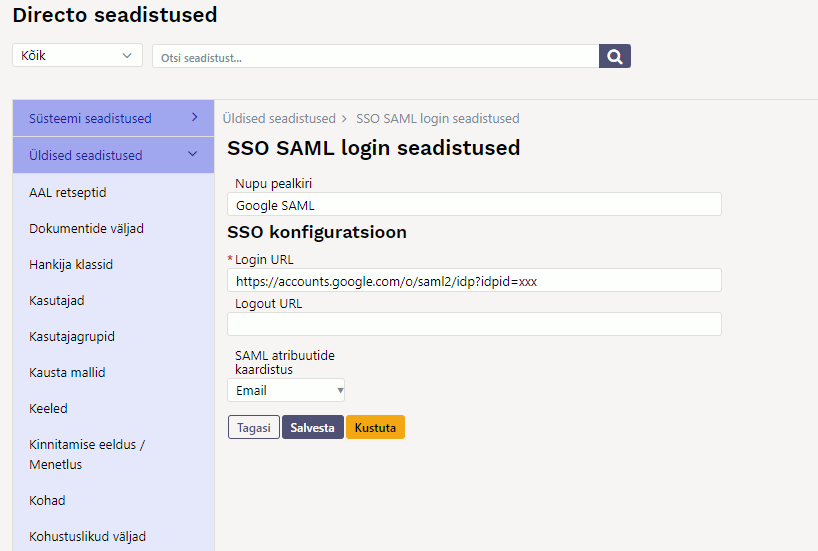
Configuring the Login Button in Directo
To set up the SAML login button:
- Navigate to General Settings → SAML Login Settings in Directo
- Configure the button with your desired name - this will appear on the Directo login page
- Enter the required parameters from your SAML service provider environment
Important Configuration Notes
SAML Attribute Mapping
This field determines how Directo identifies users. You can choose to match users by Email address, or Username.
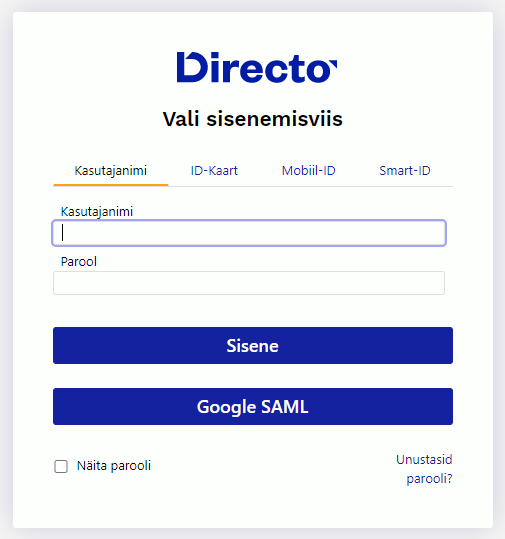
💡 Tip: The system setting „Only configured SSO methods can be used to log in“ allows you to:
- Disable traditional username/password login
- Disable ID card authentication
- Make SSO the exclusive login method for your organization
lt/saml_login_manager.1765462482.txt.gz · Keista: 2025/12/11 16:14 vartotojo ivan